













Obtenir le modèle :
Résumer cet article avec :
A pre-due date reminder is a message sent to your customer a few days before an invoice due date. Unlike standard payment reminders, it’s sent before any delay occurs. Its purpose is to ensure that the payment will be made on the initially agreed date.
In practice, the pre-due date reminder helps you detect potential issues or delays in advance, so you can solve them before the due date. It’s a genuine preventive dunning tool.
Why send a pre-due date reminder?
Sending systematic payment reminders before due date with an accounts receivable software like LeanPay has many advantages. That’s why more and more companies include this step to optimise their outstanding amount management.
Improve your cash flow
The main goal of a pre-due date reminder is to ensure payment occurs by the agreed due date. This way, payment terms are respected and cash inflows arrive faster, reducing delays.
Getting a payment promise from your customer helps you make your cash forecasts more accurate and reliable. Ultimately, this improves your company’s cash flow.
Another benefit: fewer payment delays means fewer unpaid invoices and less need for costly legal recovery.
Adopt a professional approach
A pre-due date reminder is also an opportunity to check in with your customer and confirm their satisfaction. When done tactfully, it strengthens the relationship.
By systematically sending pre-due payment reminders, you show that you closely monitor your outstanding amount. It projects a positive, professional image. It’s also a way to educate your customer: bad payers often delay payments to preserve their own cash flow, especially with suppliers who don’t follow up. Don’t be that supplier!
I find this debt collection software very functional, with excellent tracking of reminders and a clear, precise dashboard. Customer service is responsive.
Stéphanie H. - Collections Officer
Discover LeanPay 👉
How to send effective pre-due date reminders
Step 1: Check customer satisfaction
Start by ensuring your customer is satisfied with the product or service delivered. Any issue or dissatisfaction can delay payment. Detecting this early gives you time to resolve it before the due date.
💡 Ask questions like:
- Have you received the product/service properly?
- Are you satisfied with it?
- Did everything go smoothly?
Step 2: Make sure the customer has all the information needed to pay
Confirm that your customer received the invoice (sometimes it ends up in spam) and that they have all required payment detailsn such as the bank account (IBAN) or postal address for cheques. If something is missing, resend it immediately.
💡 Ask questions like:
- Have you received the related invoice?
- Can we check together that you have the correct bank details or postal address?
Step 3: Get a payment commitment
Ideally, obtain a clear confirmation that the customer will pay by the due date. A written response (for example, by email) is even better, as it serves as proof in case of non-payment.
💡 Ask questions like:
- Can you confirm that everything is in order for payment on [due date]?
Pre-due date reminder: by phone or email?
Both channels have advantages: choosing depends on your context and customer relationship.
Email reminders before due date
- Easy to automate, saving valuable time.
- Provides written proof of the reminder and the customer’s commitment (useful in case of a litigation process).
- Keeps a record of all communication in your inbox.
- Customers can reply when convenient.
- Allows attachments like invoices or bank details.
Phone reminders before due date
- Builds a direct, human connection with your customer.
- Helps detect potential issues from tone and conversation.
- Lets you secure an immediate verbal payment commitment.
- Enables quick resolution of identified problems.
When should you send a pre-due date reminder?
It’s best to send a pre-due date reminder between 10 and 5 days before the invoice due date.
Sent too early (for example, a month in advance), your customer may forget it. Sent too late, you won’t have time to fix potential issues.
You can also send a follow-up 2 to 3 days before the due date if the customer hasn’t replied.
Sample pre-due reminder email
Here’s a practical example you can adapt to your process.
Subject:
Invoice [invoice number] due on [due date]
Body:
Hello [Title] [Customer name],
Regarding your order for [products] / the [service name], I just wanted to make sure everything went well and that you were satisfied.
I’m also following up about the related invoice [invoice number] dated [invoice date] for [amount] €, due on [due date].
Could you please confirm that you’ve received the invoice (attached again here if needed) and that nothing prevents payment?
If there’s any issue that might delay payment, please let me know by reply email or by phone at [phone number].
Thank you in advance for your confirmation, and I remain available if needed.
Kind regards,
[Signature]
PS: I’ve attached our bank details for payment.
Automating pre-due date reminders
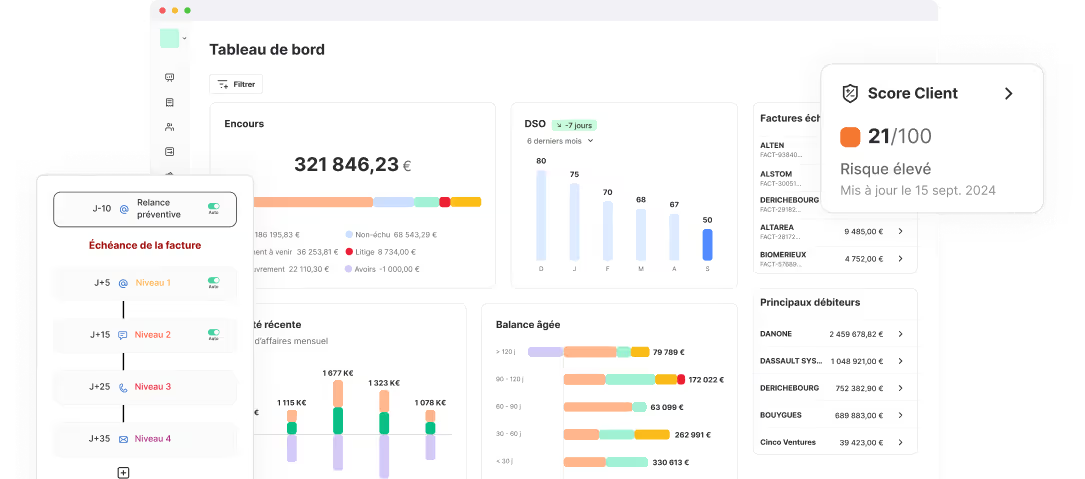
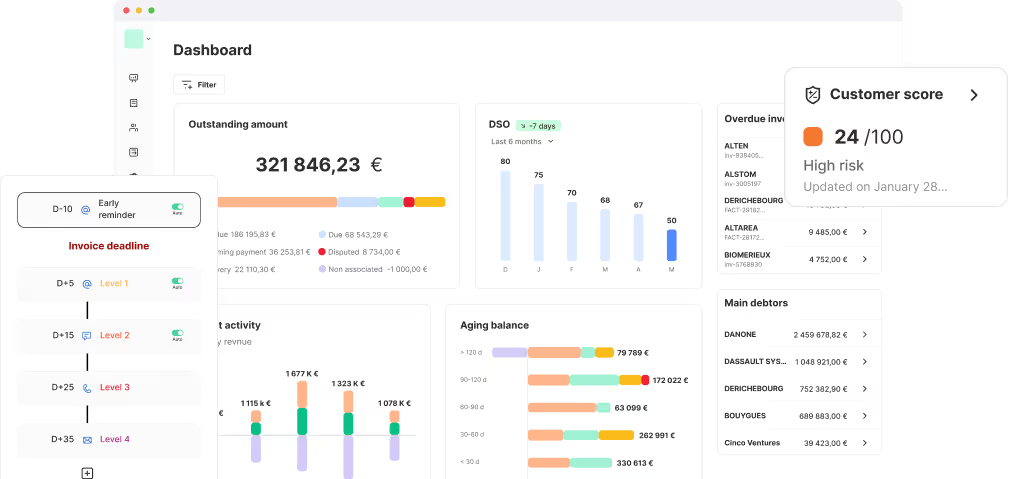
For companies managing a high volume of invoices, automating pre-due date reminders is the most efficient solution. That’s exactly what LeanPay offers with its accounts receivable software.
Key benefits of automation:
- Huge time savings compared to manual reminders. LeanPay customers report dividing reminder time by four.
- Personalised reminders using variables such as invoice number, amount, and due date.
- Automatic PDF attachment of the invoice.
- Scheduling based on due dates.
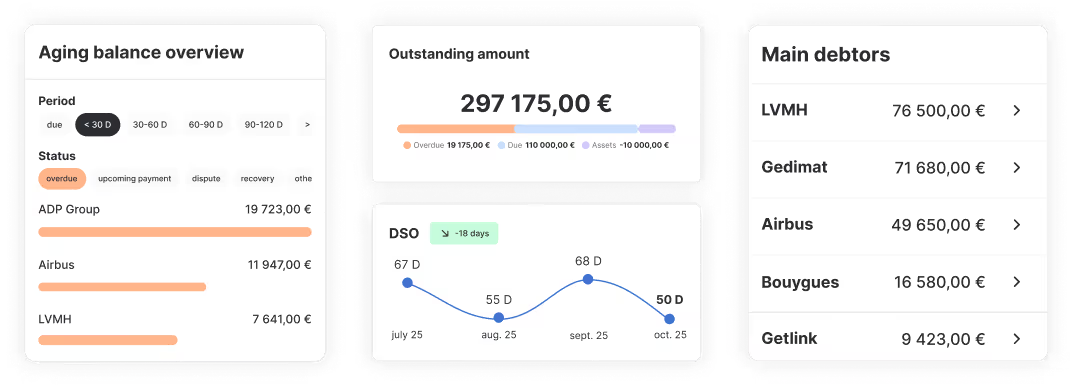
- Detailed reporting on reminders sent and results obtained.
By automating pre-due payment reminders, you streamline a repetitive yet essential process without damaging the customer relationship. You also gain visibility over your outstanding amount and see your DSO decrease.
In short, you industrialise a key process for your cash flow performance.
If you’d like to discover how LeanPay helps you automate both pre-due and post-due reminders, book a personalised demo with one of our experts.
And if the pre-due date reminder doesn’t work?
Even with preventive reminders, some customers still won’t pay on time. In that case, switch to a more structured dunning scenario:
- Day +7: 1st email reminder
- Day +15: 2nd email reminder, firmer tone
- Day +30: Phone reminder for direct contact
- Day +40: Simple letter mentioning late payment penalties
- Day +50: Formal notice sent by registered mail
Ideally, all these steps should be automated in a custom workflow. LeanPay’s accounts receivable software manages both pre-due and curative reminders, optimising your entire collections cycle.
Obtenir le modèle :
Obtenir le modèle :