




Microsoft Dynamics 365

With our API integration, connect Microsoft Dynamics 365 to LeanPay in minutes. Reduce manual work and accelerate your collections process.
3.000+ CFO use LeanPay
Rated 4.93/5 on Capterra, Trustpilot, GetApp, Appvizer & Google
Create my accountBook a demo

Microsoft Dynamics 365 is a suite of modular, connected SaaS applications combining CRM and ERP features. Developed and distributed by Microsoft, it stands out for its use of AI across all modules.

Among the many applications offered by Microsoft Dynamics 365, you'll find:

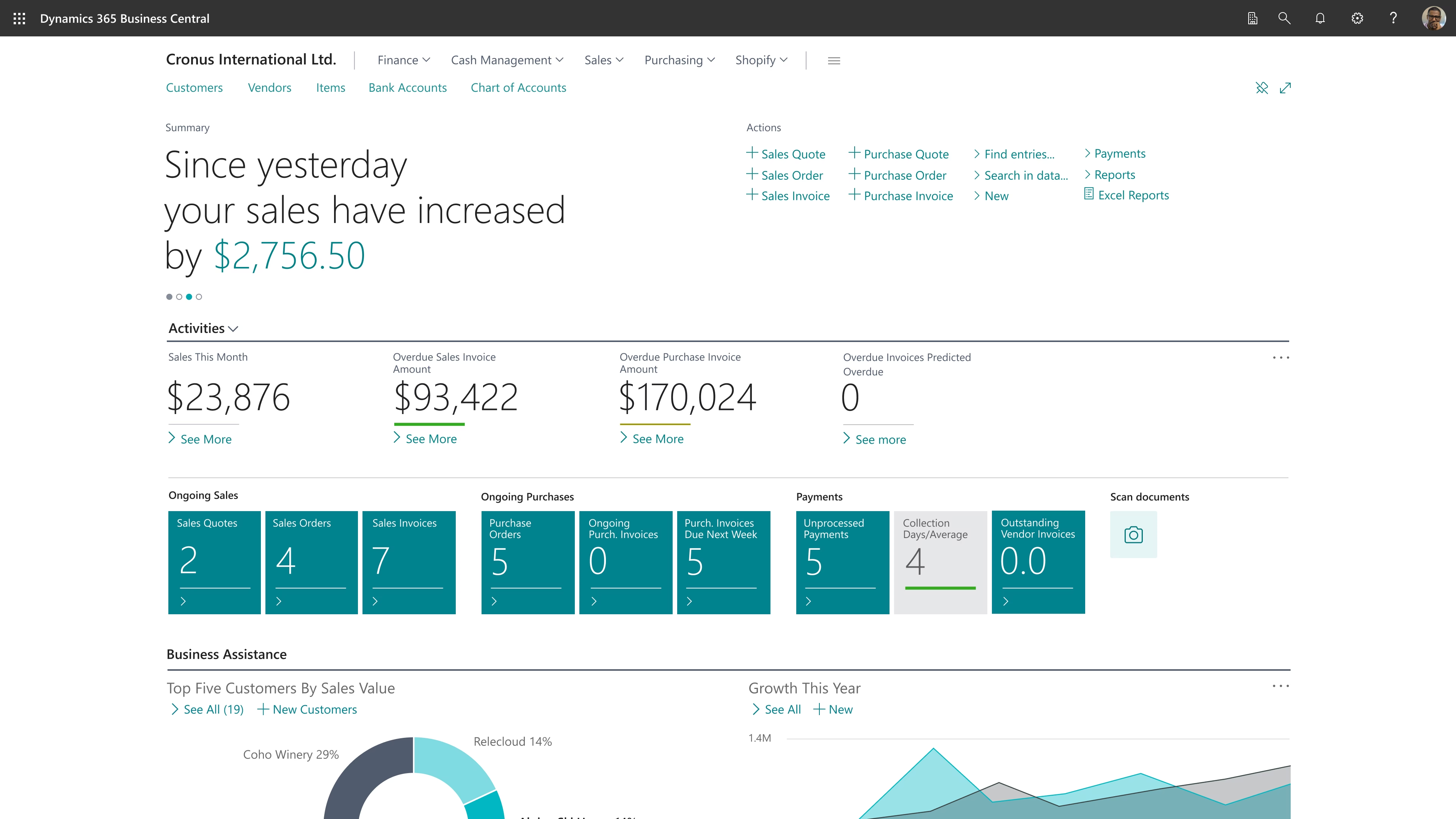
  • Dynamics 365 Business Central: an all-in-one solution for SMEs, covering accounting, purchasing, inventory, and project management; seamless integration with Microsoft tools, automation of financial processes, real-time decision support…
  • Dynamics 365 Sales: AI-powered insights into customer intent, automated sales workflows, and coaching for sales teams...
  • Dynamics 365 Finance: real-time reporting, AI-powered insights, budgeting, cash flow management, year-end closing, and financial risk reduction.
  • Dynamics 365 Service: omnichannel customer relationship management, AI-assisted case assignment to the most qualified agent, and improved support through IoT-based alerts.
  • Dynamics 365 Commerce: AI-powered personalised shopping experience, store operations optimisation, connected commercial processes...
  • Dynamics 365 Supply Chain: end-to-end order lifecycle management, smart factory production, real-time inventory, improved demand planning, stock optimisation...
à propos de notre intégration

Why use Microsoft Dynamics 365 x LeanPay integration?

Fast integration

In 2 hours max, your tools are connected and you can send your first reminders!

Reliable and secure

Reduce the risk of errors by synchronising your accounting data.

Support team

Our team of experts helps you synchronise LeanPay with your accounting tools.

à propos de notre intégration

3 steps to connect your tools

Create your LeanPay account
Configure your settings
Once the SMS option is activated, set the sender name for your SMS messages.
Set up your LeanPay workspace according to your company to start centralizing your customer data.
Set up your LeanPay workspace according to your company to start centralising your customer data.
Define the sending settings for your standard or registered letters: sender address, logo, footer, etc.
Sync your data
Add an SMS step to your reminder plan
Connectez votre messagerie pro Outlook
Import your data
Add a letter step to your reminder plan
Select Microsoft Dynamics 365 from our list of integrations and follow the setup steps
Send your first SMS
Start sending your first reminders
Send your first letters
Choose between automatic sending managed by LeanPay or manual approval of each message.
Your two tools are now connected
Approve sending from your reminders to-do list or let LeanPay handle dispatch automatically according to your settings
Récupérez vos données
LeanPay automatically imports all available information for each of your customers.
Importez vos couvertures
LeanPay récupère automatiquement les contrats d’assurance-crédit et les montants couverts pour chacun de vos clients.
Centralise your email
Emails sent and received are automatically synchronised in LeanPay.

They already connected their accounting software to LeanPay

logo brut.Logo Le Pointlogo atm plasturgielogo tout fairelogo labeliumlogo fedrigonilogo nercologo gimslogo negometallogo vivaticketlogo dernier cri
Connect your software with LeanPay now
Contact our sales team to benefit from the integration and start optimizing your debt collection
Book a demo

A question about our integration with Microsoft Dynamics 365?

How do I connect LeanPay to Microsoft Dynamics 365?
icone plus

LeanPay is compatible with Microsoft Dynamics 365 software. No technical skills are required to import your data.

Are there any fees to connect Microsoft Dynamics 365 to LeanPay?
icone plus

Fees may apply to link your LeanPay account to Microsoft Dynamics 365.

How long does it take to integrate my Microsoft Dynamics 365 data into LeanPay?
icone plus

The integration is fast. Your tools will be fully connected in just a few hours.

icone plus
icone plus

Debt collection connected to your tools

AR24
AR24
Reminders
Reminders
AR24
AR24
Reminders
Reminders
Allianz-Trade
Allianz-Trade
Credit insurance
Credit insurance
Allianz-Trade
Allianz-Trade
Credit insurance
Credit insurance
Stripe Billing
Stripe Billing
Online Payment
Online Payment
Stripe Billing
Stripe Billing
Online Payment
Online Payment
Gmail
Gmail
Reminders
Reminders
Gmail
Gmail
Reminders
Reminders
Atradius
Atradius
Debt Collection
Debt Collection
Atradius
Atradius
Debt Collection
Debt Collection
Coface
Coface
Risk management
Risk management
Coface
Coface
Risk management
Risk management
Creditsafe
Creditsafe
Risk management
Risk management
Creditsafe
Creditsafe
Risk management
Risk management
smsmode
smsmode
Reminders
Reminders
smsmode
smsmode
Reminders
Reminders
Ellisphere
Ellisphere
Risk management
Risk management
Ellisphere
Ellisphere
Risk management
Risk management
Infolegale
Infolegale
Risk management
Risk management
Infolegale
Infolegale
Risk management
Risk management
MySendingBox
MySendingBox
Reminders
Reminders
MySendingBox
MySendingBox
Reminders
Reminders
Altares
Altares
Risk management
Risk management
Altares
Altares
Risk management
Risk management
See more

Découvrez nos clients qui utilisent cette intégration

No items found.
Join 3 000+ finance teams who collect cash faster with LeanPay
Book a demo
debt collection software leanpay
By clicking on “I agree”, you consent to us collecting your browsing data in order to improve your experience on our site.