




Gmail

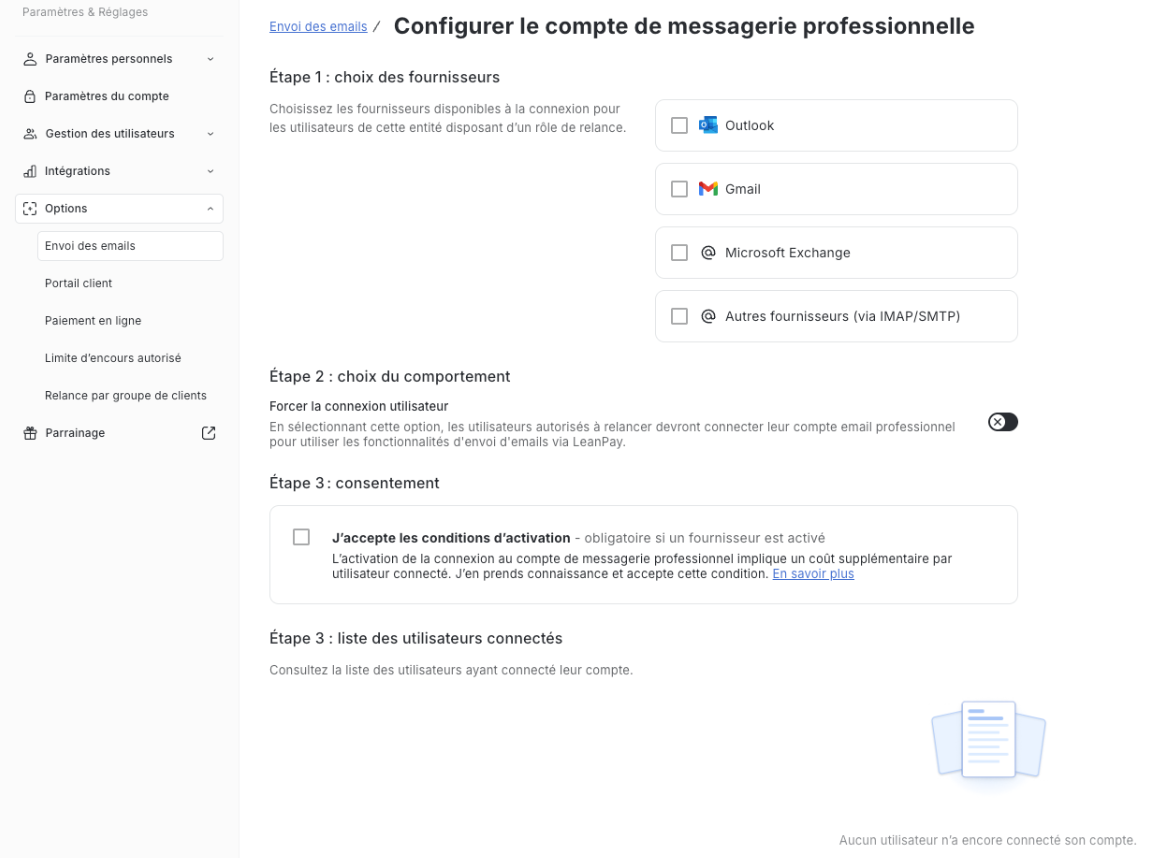
With the integration between LeanPay and Gmail, send your reminders from your professional email address and find the history of your exchanges in LeanPay.
3.000+ CFO use LeanPay
Rated 4.93/5 on Capterra, Trustpilot, GetApp, Appvizer & Google
Create my accountBook a demo

How does the LeanPay x Gmail integration work

The LeanPay x Gmail integration allows you to send payment reminder emails directly from your professional Gmail inbox, while centralising all customer communications in LeanPay.

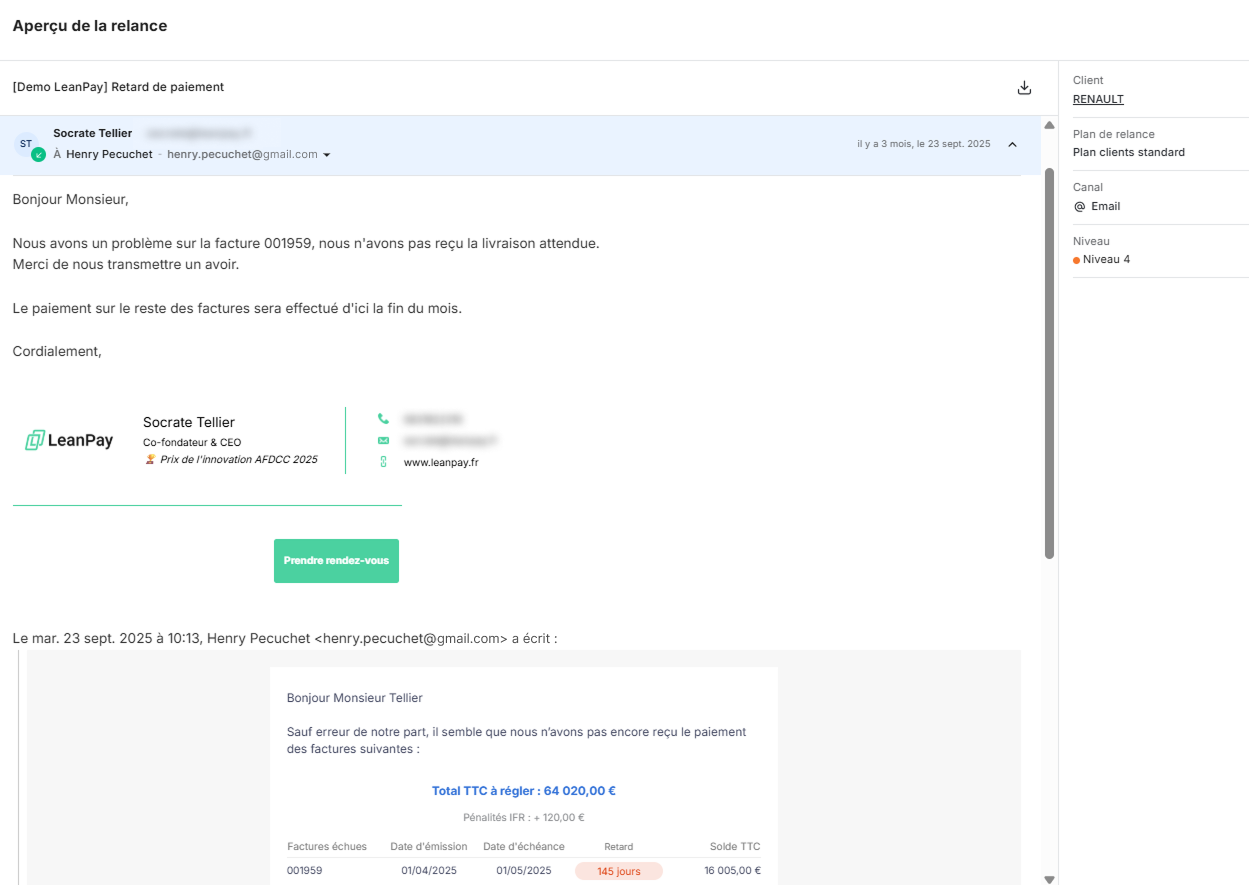
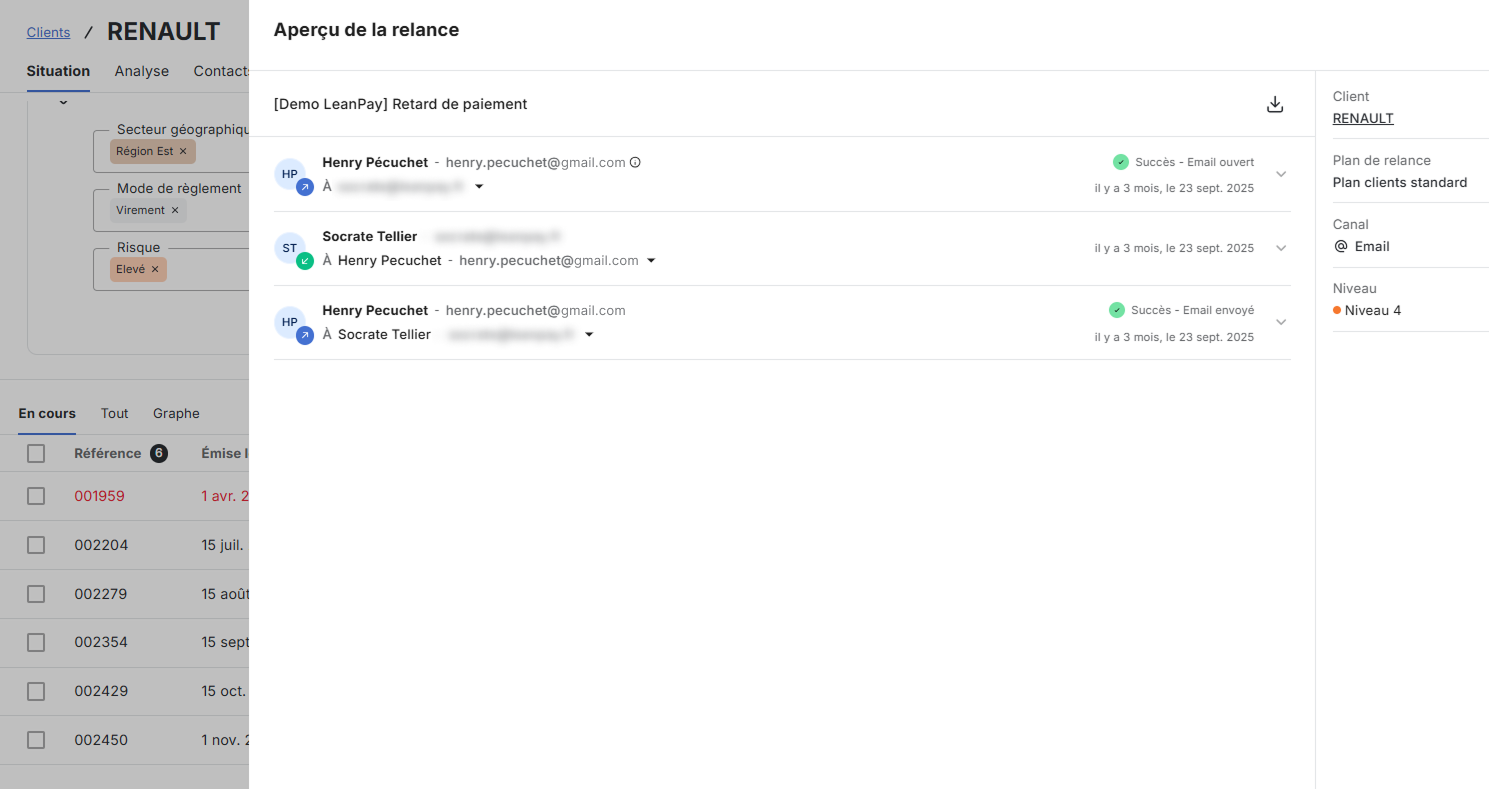
All emails sent and received are automatically logged in LeanPay, ensuring full traceability of reminders and continuous visibility across conversations, without multiplying tools.

This history covers both reminder emails sent from LeanPay and customer messages exchanged via Gmail.

With the Gmail integration, you can:

  • Send emails from your professional email address (for example: firstname.lastname@yourcompany.com). Messages are sent from your usual Gmail address, reinforcing credibility and encouraging customer replies.
  • Access emails in both Gmail and LeanPay. Every email sent from LeanPay appears in the “Sent” folder of your Gmail inbox and is automatically centralised in LeanPay, along with replies and attachments. The full email thread remains accessible from the customer record, even if the reply was not sent from LeanPay.
  • Be notified of customer replies. As soon as a customer responds to an email, a notification appears in LeanPay so no important exchange is missed.
  • Enable collaborative follow up. All email exchanges are visible in the customer history, allowing the entire team to track conversations, even when the contact person changes.

About Gmail

Gmail is Google’s email service, widely used by companies of all sizes for professional communications. As part of Google Workspace, Gmail sits within a complete collaborative environment alongside tools such as Google Drive, Google Calendar and Google Meet.

The solution provides secure, reliable email access from any device, supporting both internal and external communication. With advanced search, sorting and filtering features, Gmail makes it easy to manage large volumes of emails efficiently.

Designed for professional use, Gmail supports team collaboration and integrates easily with many business tools through connectors and APIs, enabling automation and centralisation of information.

Used globally, Gmail provides a robust communication foundation for organisations looking to structure and secure their email exchanges on a daily basis.

à propos de notre intégration

Why use the Gmail x LeanPay integration?

Improved email deliverability

Reminders are sent from your professional Gmail address, reducing the risk of being flagged as spam and improving inbox delivery.

Continuity with your Gmail environment

Emails sent from LeanPay appear in your Gmail “Sent” folder, allowing you to keep your usual email habits and message history.

Centralised customer history

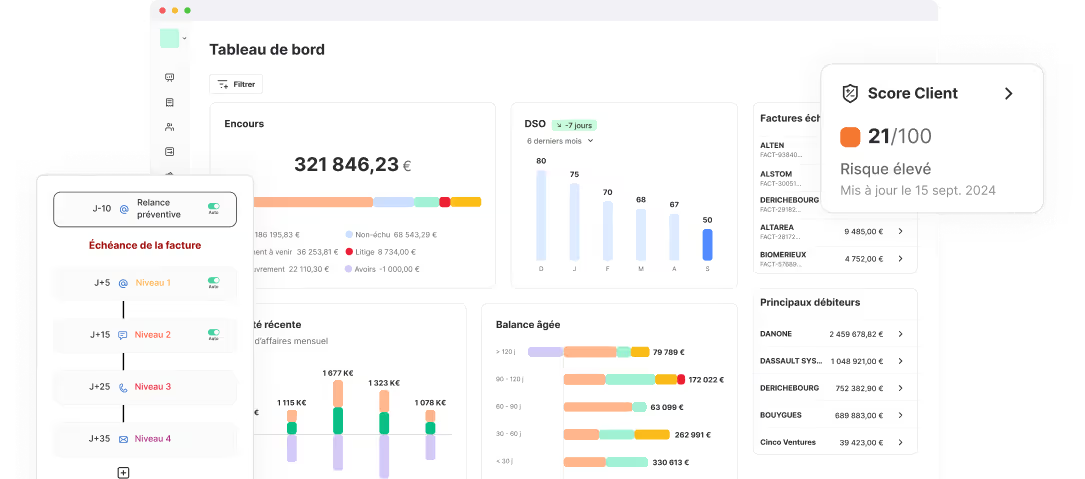
All email exchanges are automatically linked to customer records in LeanPay, providing a clear, shared view for the entire team.

à propos de notre intégration

3 steps to connect your tools

Create your LeanPay account
Configure your settings
Create your LeanPay account
Configure your settings
Once the SMS option is activated, set the sender name for your SMS messages.
Set up your LeanPay workspace according to your company to start centralizing your customer data.
Set up Electronic Registered Delivery in LeanPay, including letter templates and sender details.
Set up your LeanPay workspace to centralise your customer data.
Set up your LeanPay workspace according to your company to start centralising your customer data.
Define the sending settings for your standard or registered letters: sender address, logo, footer, etc.
Sync your data
Add an SMS step to your reminder plan
Connect your Outlook business email
Connect your Gmail business email
Add the Electronic Registered Delivery step to your reminder plan
Connect your Infolegale account
Importez vos données
Connect your Creditsafe account
Add a letter step to your reminder plan
From the LeanPay settings, link your Gmail account in just a few clicks.
Centralise your email
Emails sent and received are automatically synchronised in LeanPay.
Centralise your email exchanges
Emails sent and received via Gmail are automatically synchronised and stored in LeanPay.
Send your first Electronic Registered Deliveries
Validate the sending of Electronic Registered Deliveries from your reminder to do list once the delay threshold is reached.
Send your first SMS
Start sending your first reminders
Send your first letters
Choose between automatic sending managed by LeanPay or manual approval of each message.
Your two tools are now connected
Approve sending from your reminders to-do list or let LeanPay handle dispatch automatically according to your settings
Retrieve your Infolegale data
Récupérez vos données
Get your Creditsafe data
LeanPay automatically imports the credit opinion, the Infolegale score, their historical changes and all available information for each customer.
LeanPay importe automatiquement l’ensemble des informations disponibles pour chacun de vos clients.
LeanPay automatically imports credit scores, credit limits, and financial health events for each of your customers.
Import your coverage
LeanPay automatically retrieves credit insurance contracts and amounts covered for each of your customers.

They already connected their accounting software to LeanPay

logo brut.Logo Le Pointlogo atm plasturgielogo tout fairelogo labeliumlogo fedrigonilogo nercologo gimslogo negometallogo vivaticketlogo dernier cri
Connect your software with LeanPay now
Contact our sales team to benefit from the integration and start optimizing your debt collection
Book a demo

Your questions about our Gmail integration

Is the Gmail connection included in my LeanPay subscription, or is it an option?
icone plus

It is an optional add on, billed monthly per connected user.

Are emails sent from my professional Gmail address?
icone plus

Yes. Once your Gmail account is connected, emails sent from LeanPay are delivered from your usual professional address (for example: firstname.lastname@yourcompany.com).

Can I see reminders sent from LeanPay in my Gmail inbox?
icone plus

Yes. Emails sent from LeanPay appear in the Sent folder of your Gmail inbox.

What happens when a customer replies to a reminder email?
icone plus

You receive the reply in your Gmail inbox as usual. In LeanPay, the exchange is automatically logged and a notification alerts you to the reply.

Can the whole team access the email history?
icone plus

Yes. Email exchanges are visible in the customer history within LeanPay, enabling shared follow up even if the contact person changes.

Debt collection connected to your tools

Creditsafe
Creditsafe
Risk management
Risk management
Creditsafe
Creditsafe
Risk management
Risk management
Allianz-Trade
Allianz-Trade
Credit insurance
Credit insurance
Allianz-Trade
Allianz-Trade
Credit insurance
Credit insurance
smsmode
smsmode
Reminders
Reminders
smsmode
smsmode
Reminders
Reminders
Infolegale
Infolegale
Risk management
Risk management
Infolegale
Infolegale
Risk management
Risk management
Microsoft Outlook
Microsoft Outlook
Reminders
Reminders
Microsoft Outlook
Microsoft Outlook
Reminders
Reminders
MySendingBox
MySendingBox
Reminders
Reminders
MySendingBox
MySendingBox
Reminders
Reminders
Stripe Billing
Stripe Billing
Online Payment
Online Payment
Stripe Billing
Stripe Billing
Online Payment
Online Payment
Maileva
Maileva
Reminders
Reminders
Maileva
Maileva
Reminders
Reminders
Coface
Coface
Credit insurance
Credit insurance
Coface
Coface
Credit insurance
Credit insurance
Altares
Altares
Risk management
Risk management
Altares
Altares
Risk management
Risk management
Ellisphere
Ellisphere
Risk management
Risk management
Ellisphere
Ellisphere
Risk management
Risk management
Atradius
Atradius
Debt Collection
Debt Collection
Atradius
Atradius
Debt Collection
Debt Collection
See more

Découvrez nos clients qui utilisent cette intégration

No items found.
Join 3 000+ finance teams who collect cash faster with LeanPay
Download our brochure
debt collection software leanpay