








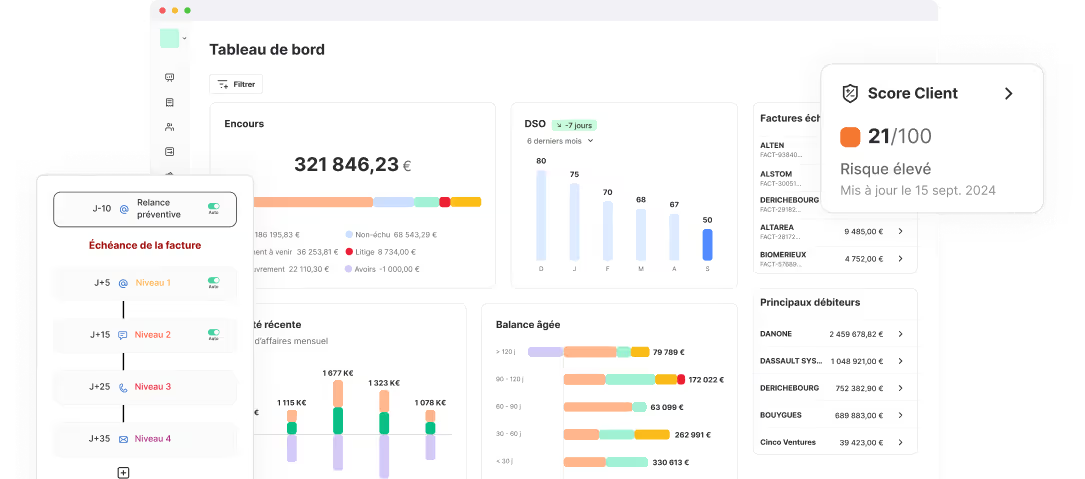





Obtenir le modèle :
Résumer cet article avec :
For many companies, debt collection management still relies on manual actions, depending on team availability and individual follow-up quality. Yet the impact on cash flow and DSO can be transformative when you automate accounts receivable.
By structuring payment reminders, strengthening monitoring and triggering specific actions automatically, automation helps industrialise part of your process while improving its overall quality.
In this article, we explain how to automate accounts receivable effectively, from automated reminders to conditional rules, and how this approach can sustainably improve your collection performance.
I find this debt collection software very functional, with excellent tracking of reminders and a clear, precise dashboard. Customer service is responsive.
Stéphanie H. - Collections Officer
Discover LeanPay 👉
Why automate accounts receivable processes?
Manual processes may work when volumes are low. However, as the number of unpaid invoices increases, their limits quickly appear.
Without automation, several risks emerge:
- missed payment reminders, particularly for small outstanding amounts or older due dates;
- inconsistent follow-up, which mechanically extends payment times;
- lack of prioritisation due to limited visibility on high-risk customers;
- loss of information when follow-up is not centralised or shared.
When you automate accounts receivable, your AR process becomes structured, measurable and less dependent on manual intervention. Your teams can then focus on cases that genuinely require analysis or human intervention.
What are the benefits when you automate accounts receivable?
When you automate accounts receivable, teams gain consistency, efficiency and better coordination. In practical terms, this delivers several benefits:
- more structured and homogeneous follow-up, regardless of workload;
- fewer errors and omissions thanks to automated execution of planned actions;
- better prioritisation, as high-risk customers or specific situations are identified earlier;
- fewer inappropriate reminders, particularly when a dispute or a payment promise automatically suspends reminder scenarios, as in our debt collection software;
- significant time savings, enabling teams to focus on complex cases or direct discussions with the customer;
- stronger coordination between finance, credit management, order administration and sales teams, thanks to centralised information.
By choosing to automate accounts receivable, you secure cash flow, reduce DSO and bring greater predictability to your collections.
How to automate accounts receivable step by step?
Automation can be applied at different levels of accounts receivable management. Some tasks can be fully automated, while others rely on more advanced conditional logic. Understanding these layers allows you to maximise their impact.
Automated reminders: the foundation of AR automation
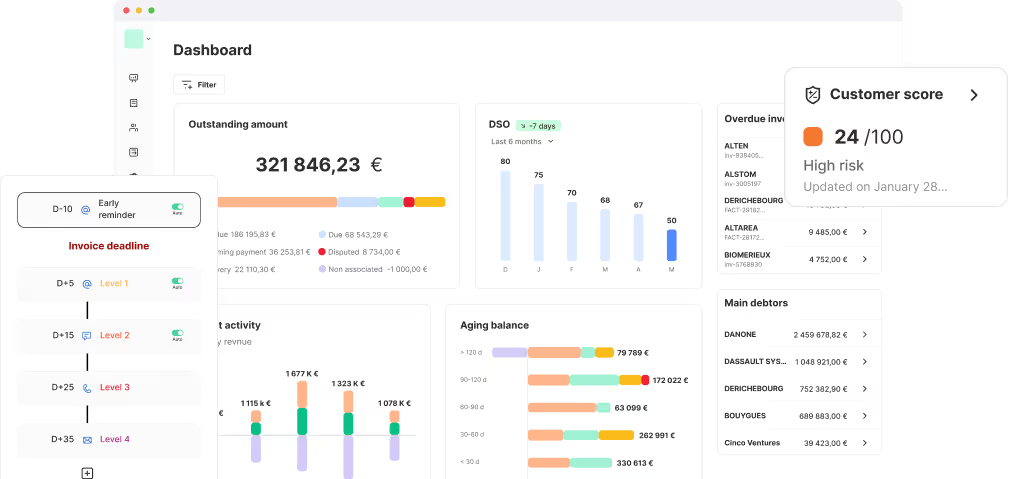
Automated reminders are the first step to automate accounts receivable in a structured way. They ensure consistent follow-up without relying on manual tracking of due dates.
With LeanPay, you can create reminder workflows based on your criteria, such as customer type or payment behaviour. Messages are sent at the right time, at a defined frequency, through the appropriate channel, email, SMS, phone or letter.
Once configured, you simply review and validate the campaign. Your teams avoid missed reminders, duplicate actions or inconsistent messaging that could weaken the customer relationship.
.png)
LeanPay also takes specific situations into account. When a dispute is declared or a payment promise is recorded, the relevant reminders are automatically suspended. This guarantees accurate, context-aware follow-up while you automate accounts receivable.
Automation rules: adding intelligence to AR management
If reminder scenarios automate repetitive actions, automation rules allow you to automate accounts receivable in a more intelligent way.
The principle is simple: when a defined condition is met, a specific action is triggered automatically. This approach adapts your process to real customer behaviour and risk signals.
With LeanPay, automation rules can trigger internal actions without human intervention. For example, you can:
- automatically reassign a reminder plan;
.png)
In this case, a debtor can be moved from a standard reminder plan to a high-risk customer plan when DSO exceeds 60 days.
- assign an account manager automatically.
.png)
This type of rule ensures that high-risk customers are escalated to a dedicated manager at the right time.
These rules strengthen prioritisation and consistency. When you automate accounts receivable using conditional logic, you ensure that sensitive cases are handled appropriately, while reducing reliance on manual checks.
A more responsive way to automate accounts receivable
Reminder scenarios and automation rules serve different purposes, but they complement each other:
- Reminder workflows structure the sending of automated reminders according to a predefined plan.
- Automation rules dynamically adjust case management based on thresholds or signals you define.
In practice, this means a customer can be reassigned to a different reminder plan or redirected to an account manager as soon as risk indicators are detected.
By combining both approaches, you automate accounts receivable in a way that is both consistent and responsive. Routine reminders are handled automatically, while high-risk customers receive the right attention at the right time.
Your teams benefit from a clearer, better prioritised and easier-to-manage process.
How LeanPay helps you automate accounts receivable
Beyond automated reminders and conditional rules, LeanPay offers additional features to optimise accounts receivable management, from pre-due date reminders to legal recovery.
.png)
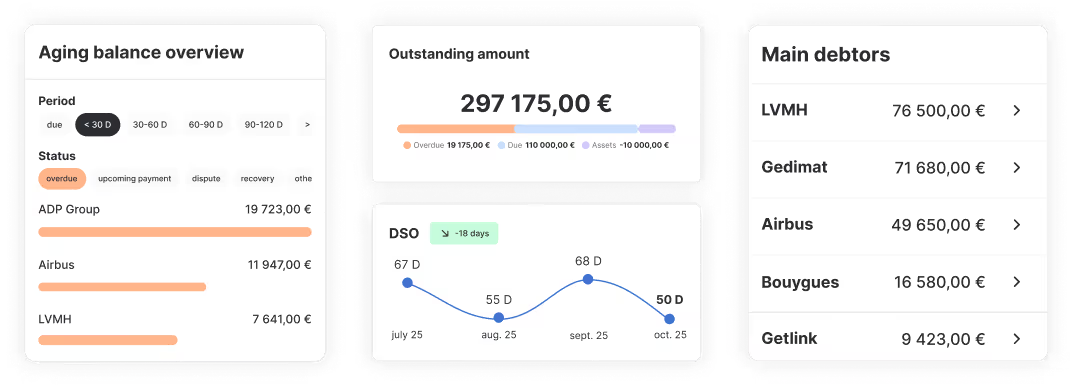
- Analyse your accounts receivable indicators in real time through debt collection reporting;
- Simplify payments with the customer portal, accessible directly from email and SMS reminders;
- Anticipate credit risk with customer scoring and recommended credit limits from your credit insurer or financial information provider, automatically synchronised within our interface;
- Customise authorised outstanding amount limits per customer for more precise risk monitoring;
- Track all actions taken to resolve disputes, from categorisation to resolution;
- Build a legal recovery file with all required documents in just a few clicks and send it directly to your lawyer, bailiff or external debt collection agency.
With LeanPay, more than 3 000 finance departments divide by 4 the time spent chasing customers and free up time for higher-value tasks.
If you would like to save time and strengthen your cash flow, get in touch with us.
Obtenir le modèle :
Obtenir le modèle :